How to Edit PDF Text Offline Keeping the Same Font
Edit PDF text offline on desktop while auto-matching the original font. 100% secure, no upload — powered by PDF Agile.
When updating official documents, contracts, or CVs, keeping formatting consistent is a major challenge. If you try to modify the text, the layout often breaks because the editor doesn't have the original font installed. This guide explains how to edit PDF text offline on Windows or macOS, comparing built-in operating system features with a professional offline desktop editor like PDF Agile to achieve a perfect font match.
Free General Methods to Resolve This Task
Method 1: Windows & macOS Built-in Free PDF Workarounds
While Microsoft Windows and Apple macOS do not feature a native built-in offline PDF text editor that can seamlessly alter existing text, you can leverage free tools you already own:
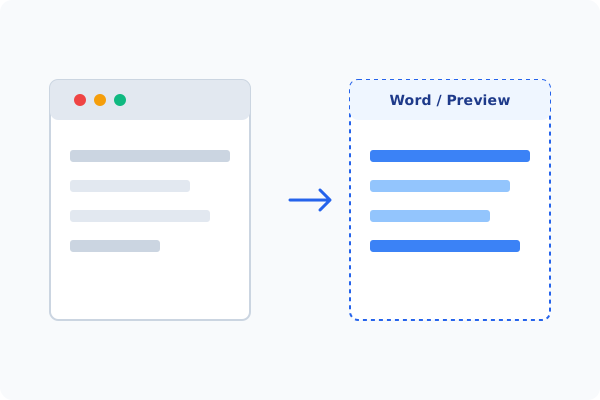
- Microsoft Word (Windows & Mac): You can right-click any PDF, select Open With > Microsoft Word. Word will convert the PDF into an editable document, allowing you to modify text in your installed fonts. Once done, go to File > Save As > PDF. Note that complex layouts, tables, or non-standard fonts may shift or break during conversion.
- macOS Preview (Mac-only): Preview is excellent for adding text, but it cannot edit existing text blocks. If you just need to cover old text and write over it, open the PDF in Preview, click the Show Markup Toolbar button, use the Rectangle shape filled with white to cover the old text, and then select the Text Tool to write on top of it.
If you find these workarounds too manual or if they break your layout, using a dedicated desktop utility like PDF Agile is the easiest way to edit PDF text offline with font auto-matching.
Method 2: How to Process Edit Text Same Font 100% Offline via PDF Agile
If built-in tools are too manual, convert file layouts, or pose a privacy risk, running a lightweight desktop PDF editor like PDF Agile is the fastest and safest solution on Windows. Follow these steps:
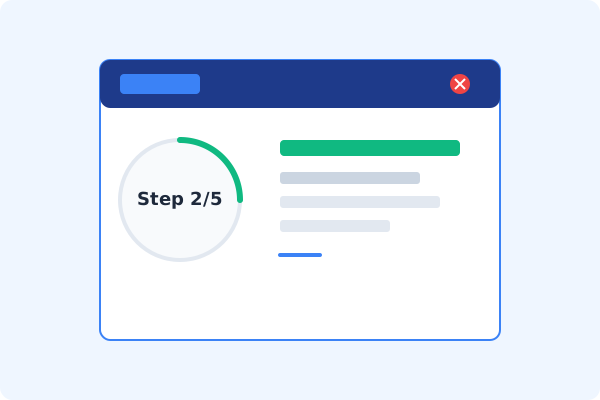
Launch PDF Agile & Open File
Start PDF Agile on your Windows desktop and load your PDF document. The tool runs 100% locally, protecting your privacy.
Click the Edit Tab
Go to the top Ribbon menu and click the Edit tab to switch from reading mode to full editing mode.
Select Edit Content
Click the Edit Content button. PDF Agile will analyze the document, breaking the layout into selectable and editable text blocks.
Type with Font Auto-Matching
Click directly inside any paragraph. Start typing or deleting. PDF Agile's built-in engine detects the surrounding font properties and automatically matches the style, size, weight, and color, ensuring zero layout shifts.
Save Locally with Ctrl+S
Press Ctrl+S to save the changes directly to your local drive. No file is uploaded to external servers.
Why Desktop Offline PDF Processing is Superior
For individuals and corporations, desktop-grade utilities protect your data boundaries while maintaining peak rendering speed:
Matches original fonts, sizes, and colors automatically
100% offline desktop processing
completely safe for confidential business contracts
No conversion shifts
preserves complex multi-column layouts

Offline Local Software vs. Online & Subscription Editors
Before deciding how to handle your document, look at how different solutions stack up against your requirements:
| Features / Risks | Online PDF Editors | Adobe Acrobat | PDF Agile (Offline) |
|---|---|---|---|
| Data Privacy & Safety | ❌ Unsafe (File Uploaded to Cloud) | ⚠️ Average (Cloud Sync Enabled) | ✔ 100% Safe (Processed Locally) |
| File Size & Page Limits | ❌ Strict Limits (Often <20MB) | ✔ Unlimited Pages | ✔ Unlimited Pages (No Cap) |
| Subscription Fees | ⚠️ Free with Ads or Monthly Cap | ❌ Very Expensive ($20+/Month) | ✔ Affordable Lifetime Buyout |
| Offline Performance | ❌ Zero (Requires Internet) | ✔ Slow Setup & Cloud Checks | ✔ Instant Local CPU/GPU Loading |
Contextual PDF Guidelines
Managing complete workflows? If your editing involves cleanups, you might also want to erase PDF content offline to remove stray elements, or crop and split PDF pages offline to reorganize your document before publication.
Frequently Asked Questions & Workarounds
Why does my PDF font change when I try to edit it?
Most editors don't support automatic font matching. If the editor lacks the original embedded font, it falls back to system fonts (like Arial), causing layout breaks. PDF Agile resolves this by matching font metrics locally.
Is there a free offline PDF editor for Windows?
Yes. You can use PDF Agile's offline desktop version to edit text locally. It is a secure alternative to expensive cloud subscriptions.
Will editing a PDF shift the images or tables?
If you convert to Word first, yes. However, editing directly within PDF Agile's Edit Content mode preserves your original layout, keeping images and tables intact.
Tired of Expensive Adobe Subscriptions?
Try PDF Agile. Get professional, desktop-grade PDF tools with a lifetime buyout license. 100% offline and secure.