How to Extract a Table from PDF to Excel Offline
Extract tables from PDF to Excel offline with AI structure detection, plus full-text translation on desktop — PDF Agile.

Copying data tables from a PDF report into an Excel spreadsheet often results in scrambled cells, broken lines, and lost column structures. Manually re-typing large tables is slow and prone to errors. This guide covers free manual conversion workarounds and details how to extract a table from PDF to Excel offline using the AI-powered tools in the View tab of PDF Agile.
Free General Methods to Resolve This Task
Method 1: Manual Copy-Paste and Word Conversion Workarounds
If you don't have an AI-powered desktop editor, you can try these free manual extraction methods:
- Word Table Extraction Trick (Free): Right-click the PDF, open it in Microsoft Word. Word will convert the document into editable tables. Highlight the converted table, copy it (Ctrl+C), open Microsoft Excel, and paste (Ctrl+V) using Match Destination Formatting. Note that merged cells and complex headers frequently break during this process.
- Tabular Copy to Notepad: Select the PDF table data with your mouse, copy it, and paste it into a plain text Notepad. If the columns paste as space-separated text, save the file as a '.txt', open Excel, click Data > From Text/CSV, and use the text import wizard to separate columns by spaces.
To extract clean, structured tables directly to Excel without formatting loss, utilizing PDF Agile is the professional offline standard.
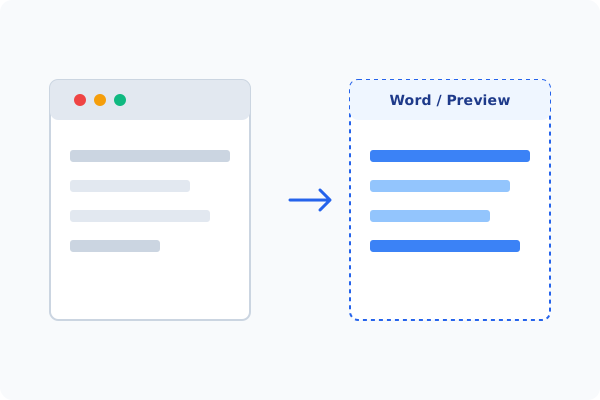
Method 2: How to Process Extract Table 100% Offline via PDF Agile
If built-in tools are too manual, convert file layouts, or pose a privacy risk, running a lightweight desktop PDF editor like PDF Agile is the fastest and safest solution on Windows. Follow these steps:
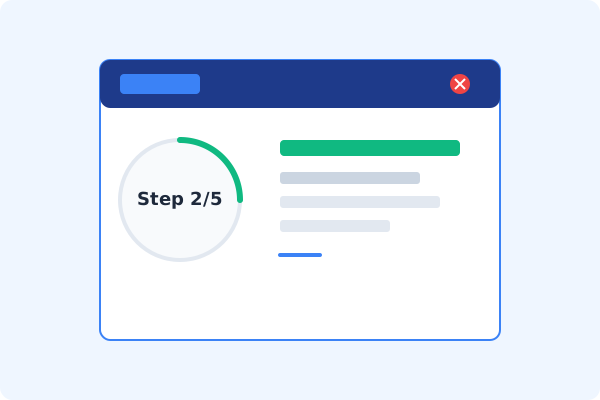
Open PDF Agile & Load Document
Start the desktop program and open your PDF file locally. Your business data remains fully secure on your computer.
Select the View Tab
Click the View tab on the Ribbon menu to access data extraction utilities.
Click Extract Table
Select the Extract Table button. PDF Agile's built-in AI will analyze and detect the table grid automatically.
Review and Adjust Table Cells
Verify the detected rows and columns in the interactive preview panel, adjusting boundaries if needed.
Export to Excel Locally
Click Export. The clean, formatted spreadsheet is saved directly to your local drive.
Why Desktop Offline PDF Processing is Superior
For individuals and corporations, desktop-grade utilities protect your data boundaries while maintaining peak rendering speed:
AI-powered table structure detection preserves merged cells and headers
Export directly to standard Excel spreadsheets (.xlsx) with zero formatting loss
100% offline desktop processing
prevents sensitive financial reports from leaking

Offline Local Software vs. Online & Subscription Editors
Before deciding how to handle your document, look at how different solutions stack up against your requirements:
| Features / Risks | Online PDF Editors | Adobe Acrobat | PDF Agile (Offline) |
|---|---|---|---|
| Data Privacy & Safety | ❌ Unsafe (File Uploaded to Cloud) | ⚠️ Average (Cloud Sync Enabled) | ✔ 100% Safe (Processed Locally) |
| File Size & Page Limits | ❌ Strict Limits (Often <20MB) | ✔ Unlimited Pages | ✔ Unlimited Pages (No Cap) |
| Subscription Fees | ⚠️ Free with Ads or Monthly Cap | ❌ Very Expensive ($20+/Month) | ✔ Affordable Lifetime Buyout |
| Offline Performance | ❌ Zero (Requires Internet) | ✔ Slow Setup & Cloud Checks | ✔ Instant Local CPU/GPU Loading |
Contextual PDF Guidelines
Managing complete workflows? After extracting your data, you can convert PDF to Office offline to export the remaining text chapters, or change PDF reading mode offline to study the report comfortably.
Frequently Asked Questions & Workarounds
Can it handle scanned PDFs or image-based tables?
Yes. If the table is scanned, first use our specialized tool to convert scanned PDF to text with OCR offline, and then run Extract Table.
Why do columns scramble when I copy-paste directly?
PDF layouts use absolute positioning coordinates rather than row/column metadata. Standard copy-pasting strips this coordinate info. PDF Agile's AI restores the grid structure.
Is my financial data uploaded to external servers?
No. The AI table parser is embedded in the desktop application, running entirely on your local CPU/GPU.
Tired of Expensive Adobe Subscriptions?
Try PDF Agile. Get professional, desktop-grade PDF tools with a lifetime buyout license. 100% offline and secure.